

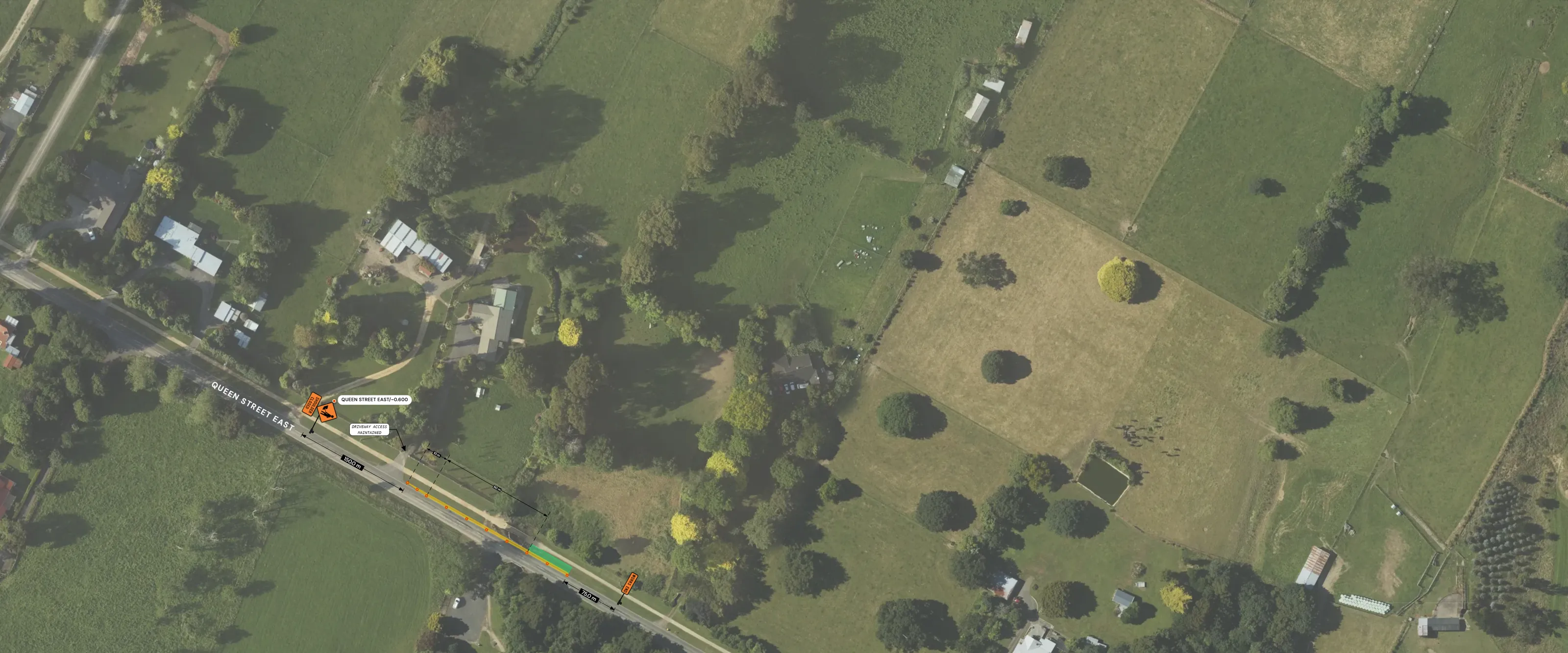
Xuro Designer · Live demo
Draw it. Check it. Submit it.
Traffic management plan design and pre-submission checks, made for New Zealand.
- NZGTTM and CoPTTM
- NZ signs from NZTA's own sign files
- Austroads AP-G34-23 design vehicles
- Every finding pinned to its page
- Runs in Chrome or Edge
- Uploaded PDFs deleted after 30 days
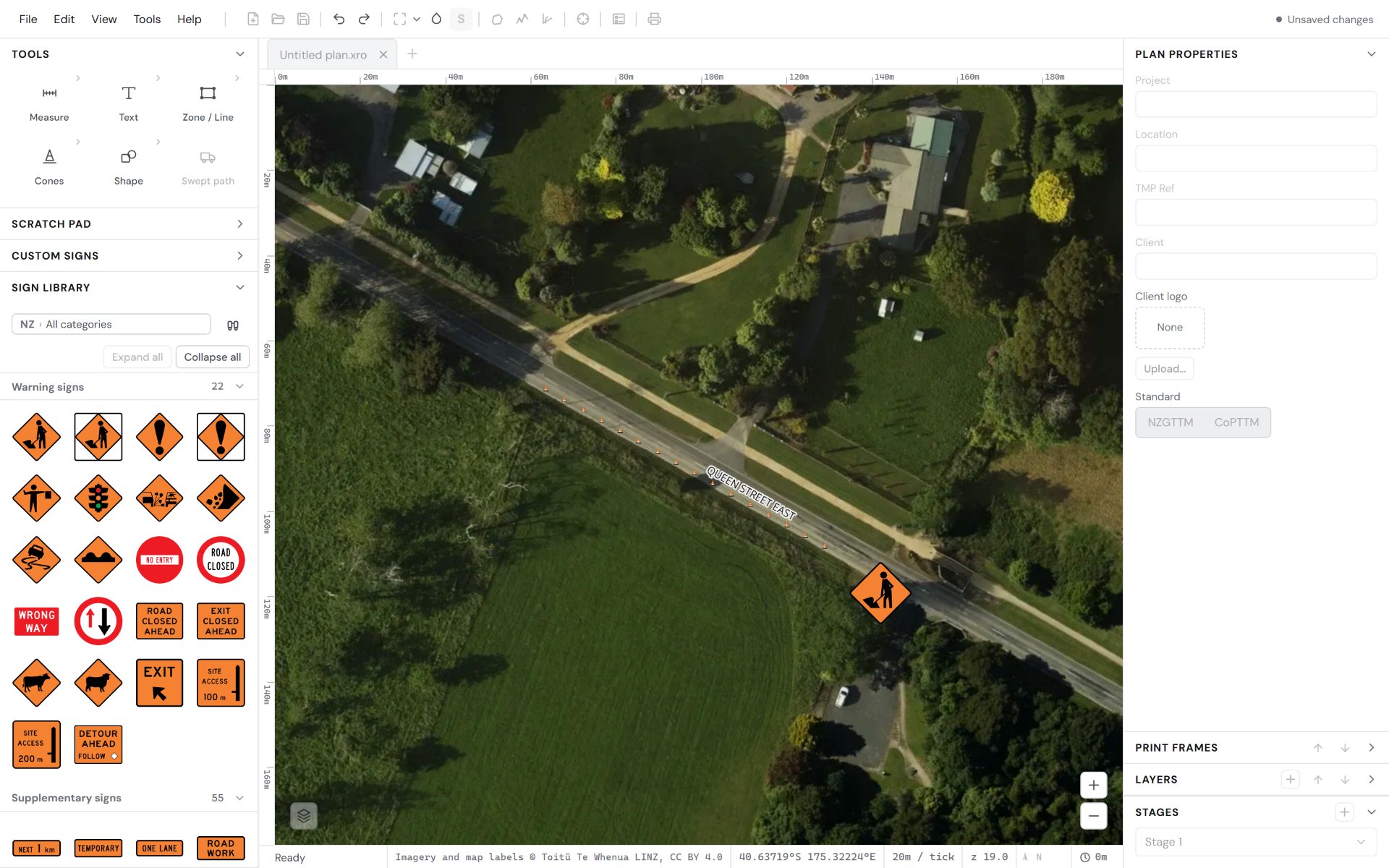
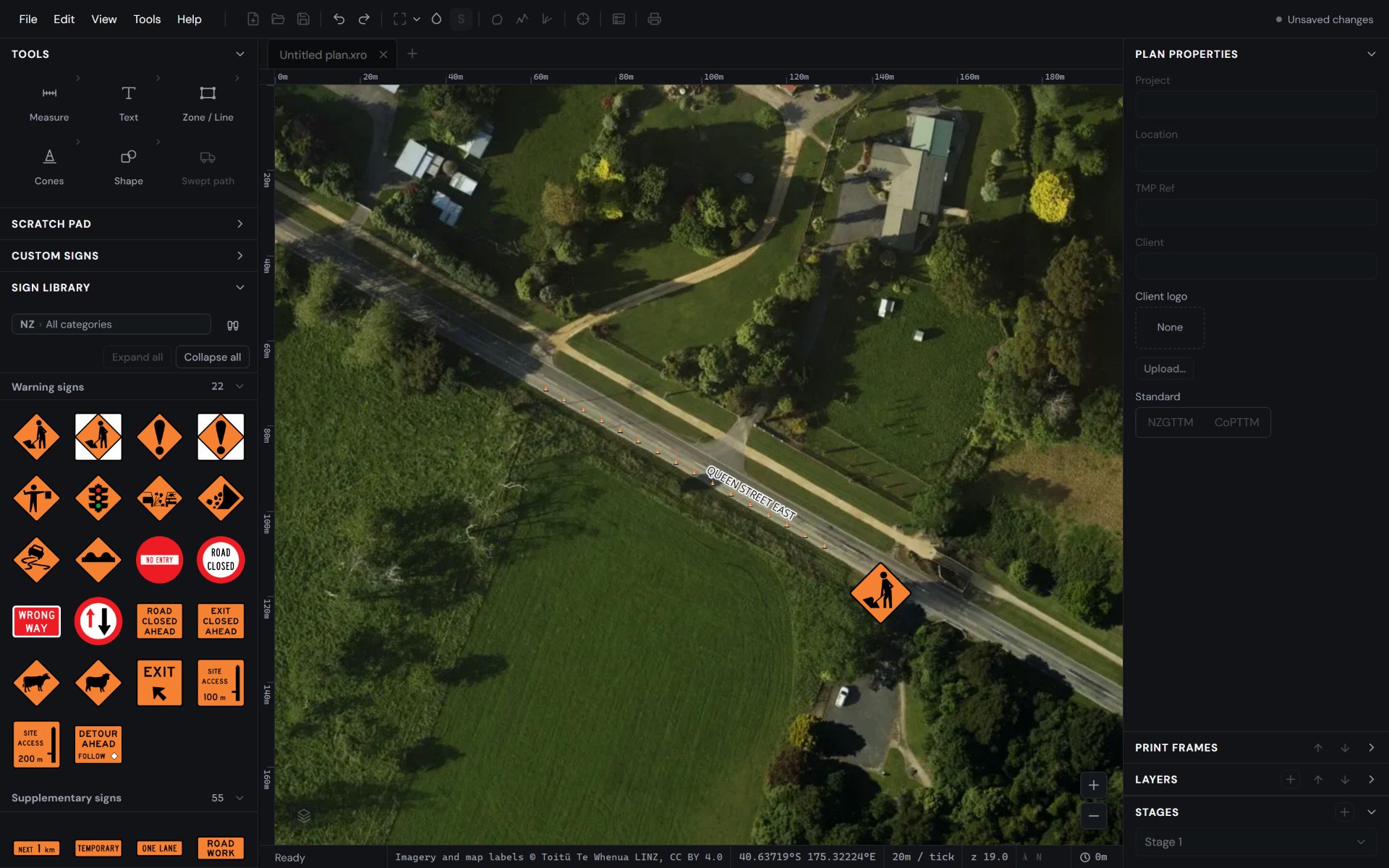
Pick Cone run and draw along the kerb.
Xuro Review Engine · Real review, sample plan
Then the Review Engine reads the whole package.
We drew a sample plan in the Designer and ran a real review on it. Click a finding to jump to its page, or download the marked-up PDF.
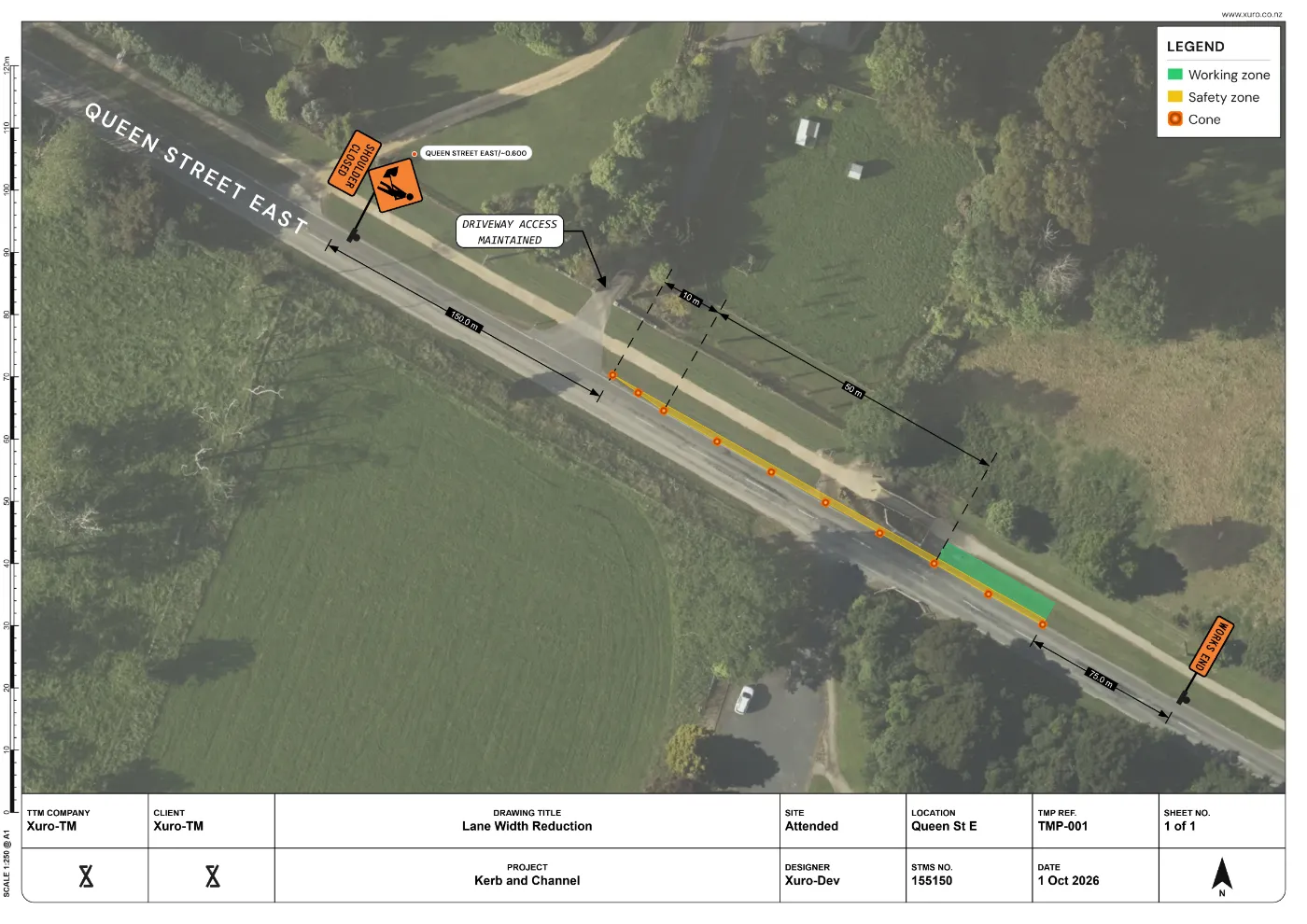
TMP-001 Lane Width Reduction · Queen Street East · NZGTTM · 13 pages. A sample plan drawn for this demo, not a real job. The faults in it were put there on purpose, to show what the Review Engine catches.
-
Warning
The TTM commencement time stated in Section 3.1 directly conflicts with the TTM commencement time in Section 2.3.
Pages 4 and 9
-
Warning
The road name specified in the General Form and TMD Form text contradicts the road name shown on the TMD drawing.
Pages 4, 10 and 12
-
Warning
The package includes a superseded CoPTTM layout sheet as an active installation and maintenance diagram.
Pages 6 and 13 · NZGTTM: Develop TTM controls
See what it finds in your own plans. Start a free 14-day trial.
Start free trialWhat the Review Engine looks for, and what it leaves to you
It looks for
- Details that don't match across forms, like dates, road names and contacts
- Drawings that say something different to the text
- Layout distances checked against CoPTTM or NZGTTM, whichever your plan uses
It leaves to you
- Approving or declining a plan
- Judgement calls about the site
- Anything that isn't in the package
Every finding is a possible issue for you to check, with the page it's on and the clause where there is one.
Councils are moving from CoPTTM to NZGTTM through to mid 2027. The Review Engine works with both.
The Xuro Review Engine assists a qualified reviewer. It does not replace one, and it does not approve plans.
There's more in both. See every feature in Xuro Designer and the Xuro Review Engine.
See all featuresXuro Designer · Site Builder add-on
From a stretch of road to a first layout
Site Builder is a paid add-on inside Xuro Designer. You work through the site in a chat beside the map, and Xuro sets out a first layout for you to check and adjust.
These are generic illustrations of how Site Builder works, not drawings of real sites or finished layouts. On a real job Site Builder sets out a first layout from the road, the kerbs and your answers. You check it against the site, the standard you work to and the road controlling authority's requirements, adjust it and sign it off before it is used.
- Find the job by address, then press on the road and drag along the work stretch. Xuro brings in the road from the map, with its lane lines and side roads.
- Xuro checks the kerbs on the aerial photo, or you draw them yourself. Then it asks a few questions: attended or not, day or night, bus route, traffic count.
- It grades the layout methods that fit the site, best first. Methods include alternating flow, a lane closure with a lateral shift, a one way closure and a full road closure with a detour.
- Pick one and Xuro lays out the signs, cone runs, safety zones and lane widths, following the Xuro layout rules. It signs the detour route you draw, handles two-stage jobs and makes the print frame.
- Ask for changes in the chat, like "Shorten the taper to 10 m".
Xuro sets out the layout. You check it, adjust it and sign it off.
Access is by request for now. Tick Request Site Builder access when you sign up for the free trial.
Request accessA quick look at Site Builder in action
Who it's for
Xuro helps you create temporary traffic management plans for NZGTTM and CoPTTM, and check them before you submit.
TMP designers
Draw on real NZ aerials with the signs, distances and swept paths you need, then check the package before it goes anywhere.
TTM companies
One company account for your team, your logo on every new plan, and every review kept in one place.
Reviewers and TMCs
A second set of eyes that reads forms and drawings together and points to the page for each finding, with the clause where there is one. You make the call.
The Xuro Review Engine assists a qualified reviewer. It does not replace one, and it does not approve plans.
Built by traffic management professionals
Xuro was built on years of practical TMP design, with input from across the traffic management industry. Most plans that come back are sent back for small things, like a date that doesn't match or a drawing that shows something the text doesn't. They're easy to fix and hard to spot on the tenth read. Xuro is the second set of eyes, and the drawing tool, we always wanted.
What designers ask before trying Xuro
Straight answers on what Xuro does, what it costs and what happens to your plans. Can't find yours? Email [email protected].
What is Xuro?
Traffic management plan software made in New Zealand. Xuro Designer is for drawing TMPs on real NZ aerials. The Xuro Review Engine checks a finished TMP package before you submit it.
Does Xuro approve or certify my plan?
No. The Review Engine lists possible issues for you to check, each with the page it relates to, and the clause where there is one. It can miss things and can be wrong. You and your organisation stay responsible for every plan you design, sign or submit.
Does it work with NZGTTM and CoPTTM?
Yes, both. In the Designer, layout distances follow whichever standard you choose. In the Review Engine, you pick the standard and the road controlling authority before the review starts.
How much does it cost?
Start with a free 14-day trial. No card needed. Plans and credit packs are coming. You'll know the price before you pay anything.
What are credits?
Reviews and some extras use credits. A Quick check uses 5 and a Pre-submission check uses 10. Finding kerbs for an area uses 0.25 to 2. You always see the credits before anything is used.
Do I need to install anything?
No. Xuro runs in Chrome or Edge on a computer. If you like, install it from the browser so it opens in its own window and opens .xro plans with a double-click.
What happens to my plans and files?
Your plans and reviews are tied to your account, and other users can't see them. Uploaded PDFs are deleted 30 days after a review finishes, or sooner if you delete them. The Privacy page has the detail.
Can I export to CAD?
Yes. Export to DXF for CAD and GIS, or to PDF, PNG and JPEG, or print straight from a print frame.
Which signs are in it?
NZ signs drawn from NZTA's own sign files, with search and categories. Build your own in the Sign Editor from NZTA signs and plates, and save them to My signs.
Can my whole team use it?
Yes. With a company account, admins add and manage staff and set the company logo that new plans start with.
What if the Review Engine misses something?
Tell us. Every review lets you mark a finding as useful or not, or report an issue it didn't catch. That feedback goes straight into making it better.
Free trial
Try Xuro free for 14 days. The trial includes 20 credits and the full Designer. Reviews and paid features run on credits, and plans and credit packs are coming.
What you get
- 20 credits: enough for 2 Pre-submission checks or 4 Quick checks
- 14 days of the full Designer: NZ signs, swept paths, print frames
- No card needed
- Site Builder, our paid add-on, on request: tick the box in the form
What happens next
- Sign up with your name, email and a password.
- Confirm your email with the link we send. Check your spam folder if you don't see it.
- We approve new accounts within 1 working day and email you when you're in. Your 14 days start when you first sign in.
Ready to try it on your own plans?
Check your email
We've sent you a link. Open it within 24 hours to confirm your email. Check your spam folder if you don't see it.
Then we approve new accounts within 1 working day and email you when you're in.
Prefer email? [email protected]